
Keep daily IT and staff technology running
Choose ongoing technology ownership or help with a routine staff issue.
IT support, security, and planned technology projects for your practice. Remote services nationwide, with scheduled onsite work in New Jersey.
Safe first contact: No PHI, screenshots, or passwords needed.
Technology discussed around real workflows.
Know which service or vendor owns the next step.
Start without patient information or credentials.
Remote-first with scoped onsite follow-through.
Start with the situation closest to yours. Explore the service, what it includes, and the information needed for a first conversation.
Choose ongoing technology ownership or help with a routine staff issue.
Separate technical safeguards from evidence, responsibilities, and readiness support.
Get help before a commitment or move into a clearly scoped project.
Choose the network, phone, or Microsoft 365 system that needs planning or improvement.
Find specialist technical help for practice-side imaging connectivity and vendor coordination.
Plan backup evidence, restore testing, recovery priorities, ownership, and documented follow-through.
HealthDesk plans the handoffs between staff workflows, clinical vendors, office technology, and the evidence each planned change should leave behind.
Technology names show working context only. They do not imply partnership, certification, or endorsement.
See the practice’s situation, the work completed, and the client’s account of the result. Each case links to its public source.
PACS networking, imaging workstations, backups, endpoint security, secure network architecture, and ongoing imaging IT support.
The client’s updated public review corroborates Azure Health Data Services DICOM, Entra ID access, controlled sharing, MedDream viewing, and completion of the agreed implementation scope.
A detailed Clutch review reports fewer recurring Azure issues, less disruption, and better confidence in the environment.
Give medical-office staff one familiar place to prepare, route, and close document work instead of choosing random public tools.
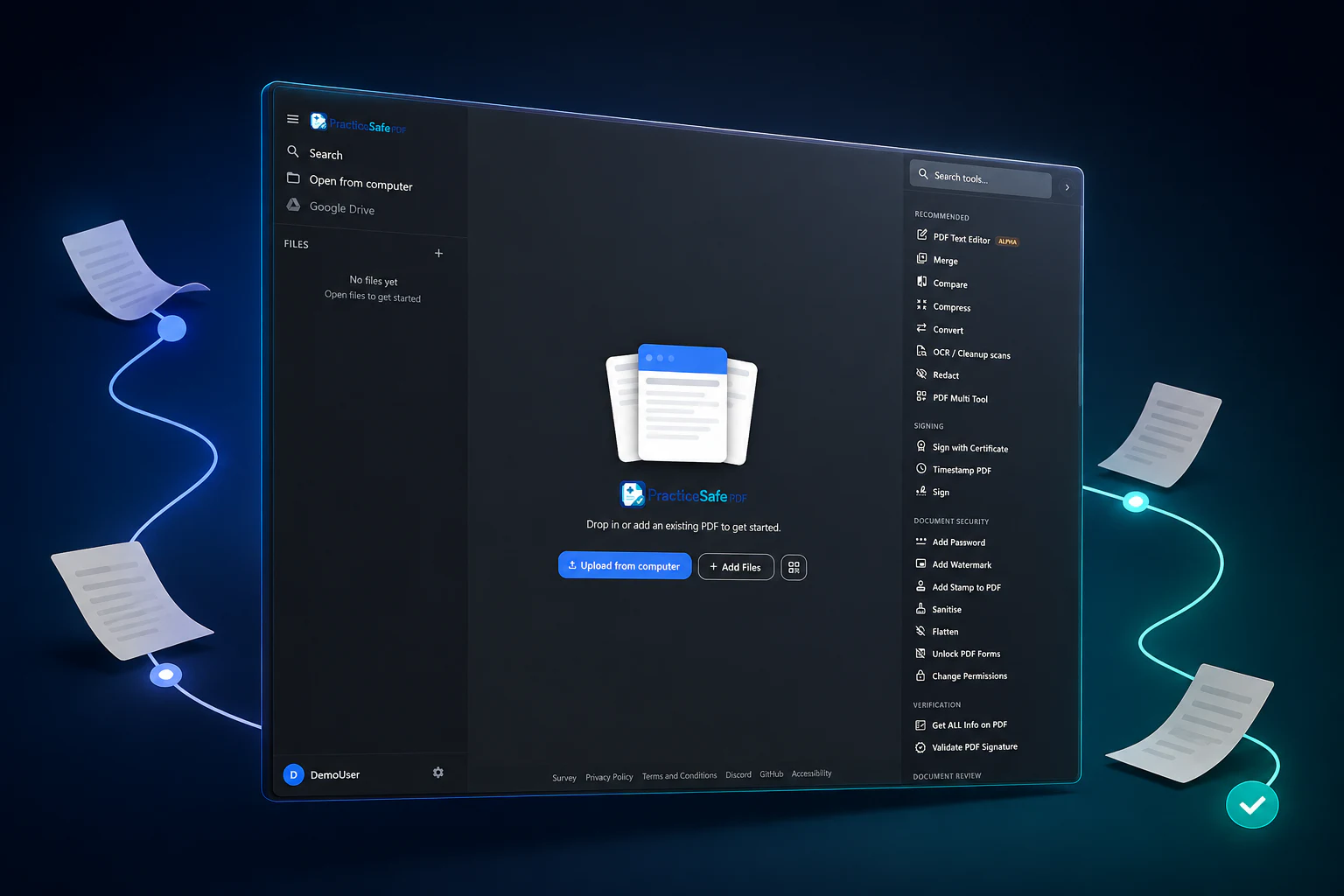
The workspace follows the document task staff already recognizes: bring it in, prepare it, send it to the right owner, and close the work.
Bring the file inUse an approved fax, scan, mailbox, or portal route.
Prepare in one placeOCR, merge, split, compress, and arrange the packet.
Hand off and closeUse the named owner, approved destination, and agreed cleanup process.
HealthDesk IT owns the workspace setup.One technical owner manages access, updates, monitoring, backup planning, and ongoing technical support.
HealthDesk IT helps medical practices understand the technical owner, the safe first step, and the boundaries around practice, vendor, legal, and clinical responsibilities.

When an agreed role requires creating, receiving, maintaining, or transmitting ePHI, responsibilities and any applicable business associate agreement are addressed before access. See HHS business-associate guidance.
These answers help you choose a direction. The dedicated service page provides the deeper detail.
IT support is for routine troubleshooting and defined help. Managed IT is for a practice seeking an ongoing relationship for maintenance, documentation, monitoring, access, and broader technology ownership.
Not always. Cybersecurity focuses on practical technical controls and escalation readiness. Compliance support focuses on safeguard evidence, applicability questions, responsibility mapping, and remediation support. Neither is a certification or legal opinion.
HealthDesk is based in East Windsor and works remote-first. Scheduled onsite follow-through may be available when the agreed scope, location, timing, and hands-on requirements are confirmed.
Share the broad situation, system category, decision timing, and a safe callback method. Keep patient information, credentials, sensitive screenshots, contracts, and attachments out of the public form.
Use plain language. We will identify the most appropriate service or review path without asking you to diagnose the technology first.
Give us enough non-sensitive context to route the next step.