Essential Guide: Complete Guide to Healthcare IT Solutions for Medical Practices New Jersey
Healthcare IT is not just computers and Wi‑Fi. In a medical office, it is the foundation for clinical workflow, patient experience, billing, and compliance. This NJ-focused guide explains what a stable, HIPAA-aligned environment looks like and what to fix first if you are dealing with slow systems, outages, or recurring security issues.
What strong healthcare IT delivers
A stable practice feels boring in the best way: the EMR loads quickly, printers work, phones do not drop calls, and imaging routes consistently.
Most problems come from inconsistency—different PCs with different settings, unmanaged Wi‑Fi, shared passwords, and backups that were never tested.
The goal is a repeatable baseline that can be maintained month after month, even when staff changes.
- Reliability: uptime for EMR, imaging, internet, and phones
- Security: MFA, least privilege, encryption, controlled vendor access
- Speed: clean network paths, adequate bandwidth, and healthy endpoints
- Recoverability: tested backups and documented restore steps
- Support: clear response expectations and escalation
A practical baseline architecture for NJ clinics
Most New Jersey clinics (Princeton, Edison, Woodbridge, East Windsor, and nearby areas) can standardize on a simple architecture that scales as the practice grows.
You do not need complex enterprise systems to be secure. You need consistent identity controls, managed devices, and a network that is segmented and documented.
- Identity: Entra ID + MFA, separate admin accounts, Conditional Access
- Devices: managed Windows PCs + mobile policies (Intune or equivalent)
- Network: business-class firewall, segmented VLANs, guest Wi‑Fi isolated
- Backups: immutable backups + quarterly restore tests
- Documentation: inventory, diagrams, and vendor list
Want a baseline review? Start with a HIPAA risk assessment and a network assessment.
Quick wins you can implement this week
- Turn on MFA for email and admin accounts
- Remove shared logins and create unique accounts for staff
- Patch Windows and critical applications
- Verify backups by restoring a test folder and validating access
- Check firewall firmware and VPN configuration
- Inventory devices and remove unused accounts
If you want these handled as a system, our managed IT services includes monitoring, patching, and documentation.
Local considerations in NJ (multi-site, vendors, and downtime windows)
Many NJ practices have multiple vendors: EMR, imaging, phones, cabling, and internet. Coordination is the hidden cost of IT.
We plan changes around appointment schedules, with after-hours windows where needed, and we keep rollback steps to avoid prolonged disruption.
If you have multiple locations across counties, a standardized baseline makes onboarding and support much faster.
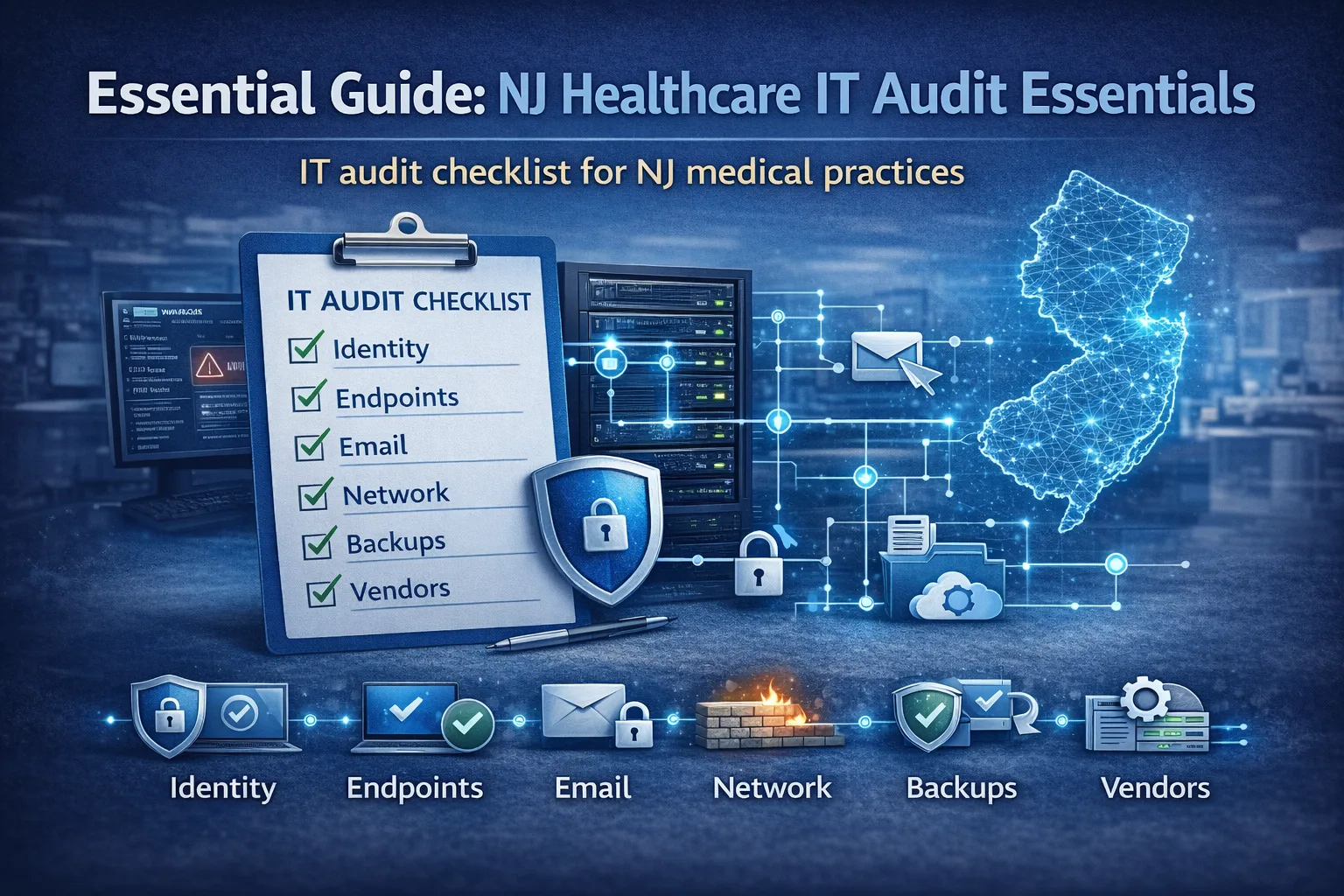
Healthcare IT checklist (copy/paste)
- MFA enabled for all users; separate admin accounts
- Disk encryption on laptops and portable devices
- Endpoint protection + monitoring alerts
- VLAN segmentation for clinical, imaging, voice, guest
- Backups immutable; restore test documented quarterly
- Vendor access time-limited and logged
- Network diagram + inventory maintained
- Incident response contacts documented
Need help building this into a plan? request a quote and we will scope it.
FAQ
How quickly can we stabilize the office?
If you standardize identity and device controls and verify backups, most clinics see clear improvements within a few weeks. Larger changes like cabling or network redesign are phased to avoid disruption.
Do we need a server on-prem?
Some practices do, especially for certain imaging or legacy applications. The right design depends on workflow and reliability needs, not a one-size-fits-all rule.
Next step
Want a clear, local plan for your practice? request a quote or contact us to schedule a quick discovery call.
Example: what a well-run upgrade looks like
Most successful projects follow the same pattern: discovery, a small pilot or controlled change, documentation, and then phased rollout. This avoids the two common failures we see in clinics: big changes during clinic hours and changes made without a rollback plan.
Local NJ note: We commonly support practices across Princeton, Edison, Woodbridge, East Windsor, and nearby areas. The exact plan depends on your suite layout, vendors, and how much downtime you can tolerate.
What to document and keep
Documentation is not busywork. It is how you prevent the same issue from returning every few months and how you reduce risk when staff changes.
- Network diagram and device inventory
- Admin account list and MFA status
- Backup locations and restore steps (offline copy)
- Vendor contacts and access methods
- Change log for major updates
Mistakes to avoid
These mistakes usually create outages, security gaps, or endless troubleshooting:
- Running everyone as local admin
- Using shared accounts at front desk
- Buying new hardware without fixing cabling/segmentation
- Assuming backups work without restore tests
- Letting old vendor credentials linger
Helpful next links
Local SEO: how to make this page work for New Jersey searches
To rank locally, your content should consistently mention the service and the geography in a natural way. For this post, that means referencing New Jersey and the areas you serve (for example Princeton, Edison, Woodbridge, East Windsor, and nearby towns) while keeping the copy focused on real clinic problems and solutions.
Practical on-page steps that match what your SEO checker looks for:
- Include the phrase Healthcare IT support in New Jersey in the introduction and at least one H2 section
- Add a short checklist and FAQs (already included here) to increase topical depth
- Add internal links to your service pages and your quote/contact flow
- Add a featured image and use descriptive alt text
- Keep paragraphs short and use bullets for scannability
If you want to turn this post into leads, add a short call-to-action block near the top and another near the bottom, both linking to your quote form. Example: "Need help this week? Request a quote".
Next step: If you want HealthDesk IT to evaluate your current setup and recommend a plan, request a quote or contact us. We can also bundle this service into ongoing managed IT services so the improvements stay consistent over time.
More questions we hear from NJ practices
How do we prioritize improvements on a tight budget?
Start with the controls that reduce both downtime and security risk: MFA, patching, backup verification, and network cleanup. Then phase larger upgrades (Wi‑Fi, switches, cabling) room by room.
Can you support both on-site and remote?
Yes. Most issues can be resolved remotely, and we schedule on-site work for cabling, hardware installs, and larger changes that require hands-on access.
What should we prepare before an onboarding call?
If available, share your ISP details, firewall brand/model, EMR vendor contact, and a list of key pain points. We can build the rest from discovery.

HealthDesk IT
Healthcare IT Expert at HealthDesk IT