Structured Cabling for NJ Medical Offices: Cat6/Cat6A
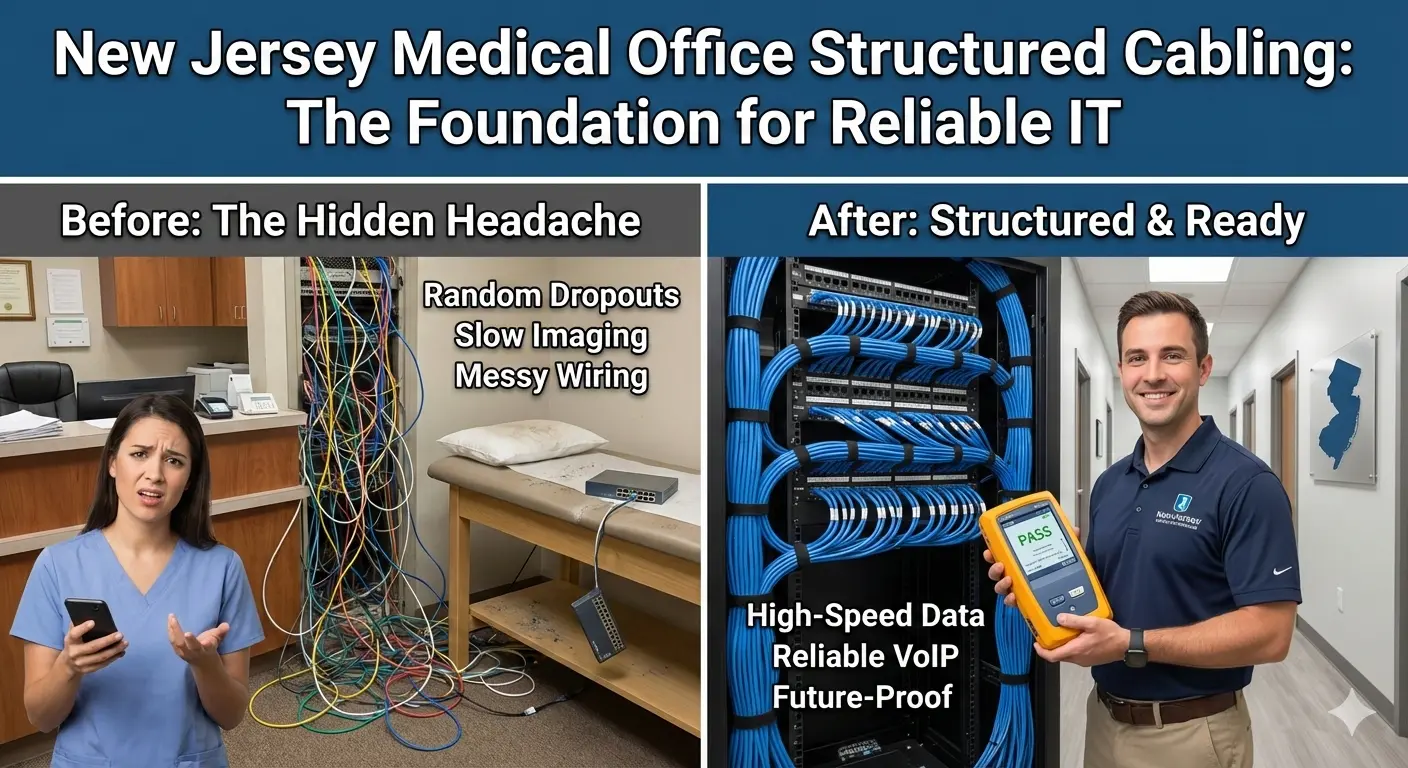
Structured cabling is the foundation of stable IT in a medical office. When cabling is old, mislabeled, or poorly terminated, it shows up as "random" problems: dropped connections, slow imaging transfers, printers that vanish, phones that crackle, and Wi‑Fi that feels inconsistent. This guide is written for New Jersey medical practices that want clean, testable, expansion‑ready wiring that supports clinical workflows today and future growth.
Quick signs your cabling is the real problem
If issues move around from room to room, or the same device works fine on Wi‑Fi but fails on a wired jack, suspect the physical layer.
If you see unmanaged switches daisy-chained under desks, or patch cords run through ceiling tiles, troubleshooting becomes guesswork.
If imaging studies are slow only at certain times, it can still be cabling—especially if one bad link forces retransmits and slows an entire uplink.
- Intermittent link drops in exam rooms or front desk
- Phones rebooting or losing registration (often PoE + cabling)
- Slow file copies to your server or NAS compared with other rooms
- Imaging send failures that happen only on certain jacks
- Wi‑Fi complaints even after changing access points (backhaul cabling matters)
If you are unsure, we can validate the physical layer quickly during a site walk and provide a phased plan.
Cat6 vs Cat6A in real clinics (what matters, what does not)
Cat6 is the workhorse for most offices. When installed and terminated correctly, it supports 1Gbps reliably and can support 10Gbps on shorter runs. For many clinics, that is enough.
Cat6A is thicker and built for better noise performance. It is the safer choice if you want 10Gbps capability across longer runs, or if you have higher interference environments (dense electrical runs, larger suites, or future imaging growth).
The bigger factor than category is workmanship: bend radius, termination quality, and keeping cable runs clean. A perfect Cat6A install beats a sloppy Cat6A install every time.
- Choose Cat6 for most standard exam rooms and administrative areas where 1Gbps is sufficient.
- Choose Cat6A for imaging areas, core uplinks, and any run you want to future-proof.
- If your practice expects expansion, plan extra drops now. Pulling cable later is always harder and more expensive.
Medical-office cabling layout: a simple, scalable plan
Most NJ medical offices do best with a structured, predictable layout:
- One main network closet with a rack, patch panels, and the firewall/switch stack
- Patch panels labeled to match each wall plate (room + jack + port mapping)
- Home-run cabling (each drop goes back to the closet; avoid daisy chains)
- PoE-ready switching for phones, access points, and cameras
- Separate guest Wi‑Fi and VLAN segmentation at the network layer (not with consumer extenders)
If your office spans multiple suites or floors, we plan the right closet locations and uplinks so you do not bottleneck the network later.
For multi-location practices (common across Mercer and Middlesex counties), stable cabling makes VPN and cloud workflows smoother because local issues do not constantly interrupt connectivity.
Testing and certification (how you avoid expensive surprises)
A professional install includes testing that proves each run meets expected performance. For clinical environments, testing is not optional—especially when imaging, VoIP, and EMR systems depend on stable throughput.
At minimum, each drop should be validated for continuity and correct pinout. For critical areas, certification testing produces a report you can keep with your IT documentation.
Testing is also how you catch hidden issues like split pairs, weak terminations, or damage during the pull.
- Continuity + wiremap testing for every drop
- Certification results for critical runs (imaging, uplinks, high-usage workstations)
- Port labeling verification (jack → patch panel → switch port)
- Photo documentation of closet/rack layout for future troubleshooting
Clinic-specific considerations: imaging, phones, and Wi‑Fi backhaul
Imaging and DICOM transfers can be sensitive to latency and packet loss. A single weak link can create repeated retransmits that feel like "slow PACS" even when servers are fine.
VoIP depends on consistent PoE and clean links. Bad cabling often appears as crackling audio, phones that drop calls, or random reboots.
Wi‑Fi performance depends heavily on the wired backhaul to access points. Many offices buy expensive APs but connect them with old, damaged, or mis-terminated cabling.
- Imaging areas: prioritize clean, tested runs and avoid sharing uplinks with guest traffic
- Phones: plan PoE budgets and voice VLAN design
- Access points: place APs based on coverage, then ensure each has a reliable wired run
- Patient Wi‑Fi: keep it isolated (internet only) to protect clinical devices
Internal linking that supports conversions (and your SEO checker)
To help users take the next step, add relevant internal links inside the post content:
- request a quote for a cabling site walk and estimate
- Learn about managed IT services if you want ongoing support after the install
- Review our cybersecurity services for firewall/VLAN design after cabling cleanup
- Structured cabling services (service page)
- Network security (if this page exists)
Place these links naturally in the sections where users are already thinking about solutions, not only at the end.
Structured cabling project checklist (copy/paste for your office)
- Walkthrough: identify exam rooms, imaging, front desk, printers, phones, APs, and future expansion needs
- Drop plan: decide how many drops per room (typical: 2–4 per exam room; more for imaging/front desk)
- Closet plan: rack location, power, ventilation, UPS, cable pathways
- Material selection: Cat6/Cat6A, patch panels, keystones, cable management
- Install window: schedule around patient hours; plan dust control and ceiling access
- Termination: patch panel and jacks; maintain bend radius and best practices
- Testing: wiremap every run; certify critical runs; document results
- Labeling: jack labels match patch panel and switch ports
- Cleanup: remove old unmanaged switches and desk-side daisy chains
- Validation: confirm phones, imaging, printers, and EMR workstations function as expected
- Documentation handoff: diagrams, labels, test results, closet photos
If you want us to handle the full plan and coordinate with your IT/security work, start with a quote request.
FAQ
Is 1000+ words really necessary?
Your SEO checker is grading content depth. Longer is not better by itself, but for technical service pages it usually means you answered common questions, added a checklist, and covered local context. This post is intentionally detailed so it meets your checker and helps real clinic owners.
Can you do cabling without shutting down the clinic?
Yes. We plan low-disruption work windows and keep critical stations online. When cutovers are required, we schedule them after-hours or in short planned windows.
Next step
If you want a cabling plan that supports reliable EMR, imaging, and phones, request a quote and we will recommend the right Cat6/Cat6A approach for your NJ suite.
Local SEO: how to make this page work for New Jersey searches
To rank locally, your content should consistently mention the service and the geography in a natural way. For this post, that means referencing New Jersey and the areas you serve (for example Princeton, Edison, Woodbridge, East Windsor, and nearby towns) while keeping the copy focused on real clinic problems and solutions.
Practical on-page steps that match what your SEO checker looks for:
- Include the phrase Structured cabling in New Jersey in the introduction and at least one H2 section
- Add a short checklist and FAQs (already included here) to increase topical depth
- Add internal links to your service pages and your quote/contact flow
- Add a featured image and use descriptive alt text
- Keep paragraphs short and use bullets for scannability
If you want to turn this post into leads, add a short call-to-action block near the top and another near the bottom, both linking to your quote form. Example: "Need help this week? Request a quote".
Next step: If you want HealthDesk IT to evaluate your current setup and recommend a plan, request a quote or contact us. We can also bundle this service into ongoing managed IT services so the improvements stay consistent over time.

HealthDesk IT
Healthcare IT Expert at HealthDesk IT